
Skip to content
Book a demo

Your whole floor,in one system.

From the menu on the table to the kitchen, the till and the report: every order, every dish and every manat, visible as it happens.

5 workstations, one system
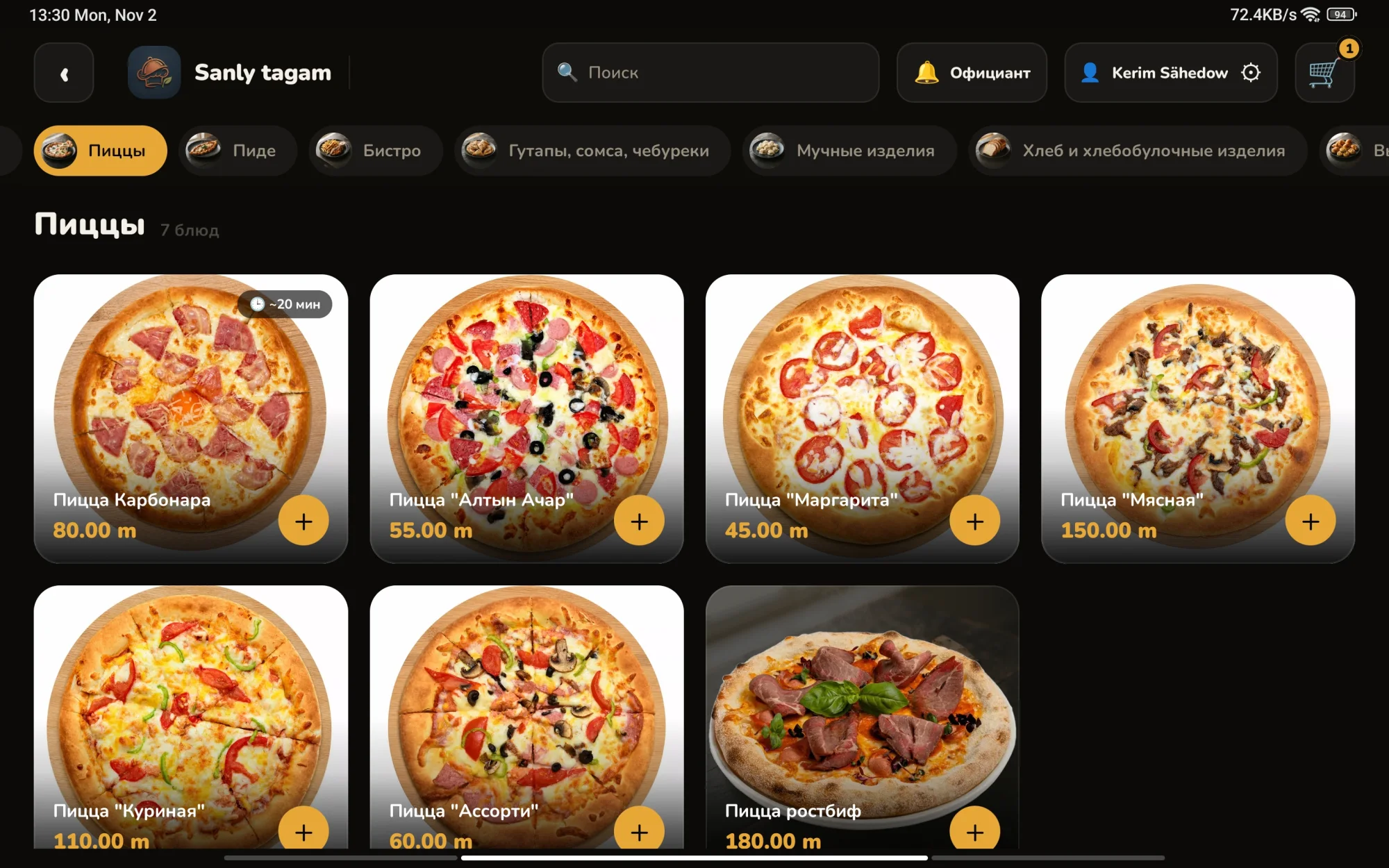
Photo menu on the guest tablet
Table 1New
  • Affogato coffee25.00
    + Vanilla syrup
  • Yayla soup25.00
  • Pizza Carbonara80.00
    − Ham
  • Pizza Margherita, Mega75.00
Total205.00 m

One order, start to finish

Guest, waiter and cook each get their own screen, all connected to one system.

  1. 1. The guest orders

    The waiter opens the table with a PIN, then the guest orders on their own.

    • Choose a dish's size and ingredients
    • Call the waiter or ask for the bill
    • Sold-out dishes can't be ordered
    • Locks itself after payment
    Pizza menu on the guest tablet
    Table 1New
    • Affogato coffee25.00
      + Vanilla syrup
    • Yayla soup25.00
    • Pizza Carbonara80.00
      − Ham
    • Pizza Margherita, Mega75.00
    Total205.00 m
  2. 2. The waiter accepts

    Orders, tables and calls, all in a pocket.

    • Track each order on its own
    • Discounts, split bills, lock a tablet
    • Move a table, merge bills
    • Alerts arrive even with the app closed
    Table 1Accepted
    • Affogato coffee25.00
      + Vanilla syrup
    • Yayla soup25.00
    • Pizza Carbonara80.00
      − Ham
    • Pizza Margherita, Mega75.00
    Total205.00 m
  3. 3. The kitchen cooks

    An accepted order appears in the kitchen by itself.
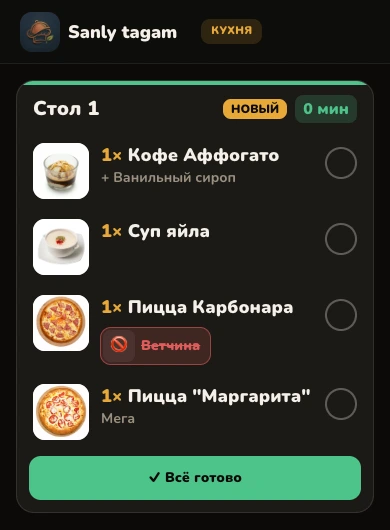
    • Table, time and notes in large type
    • Waiting time shown by colour
    • Rush tickets jump the queue
    • Separate printers for kitchen and bar
    Order ticket on the kitchen screen
    Table 1Ready
    • Affogato coffee25.00
      + Vanilla syrup
    • Yayla soup25.00
    • Pizza Carbonara80.00
      − Ham
    • Pizza Margherita, Mega75.00
    Total205.00 m
  4. 4. The till closes the bill

    The same bill on the receipt, at the till and on the waiter's phone.
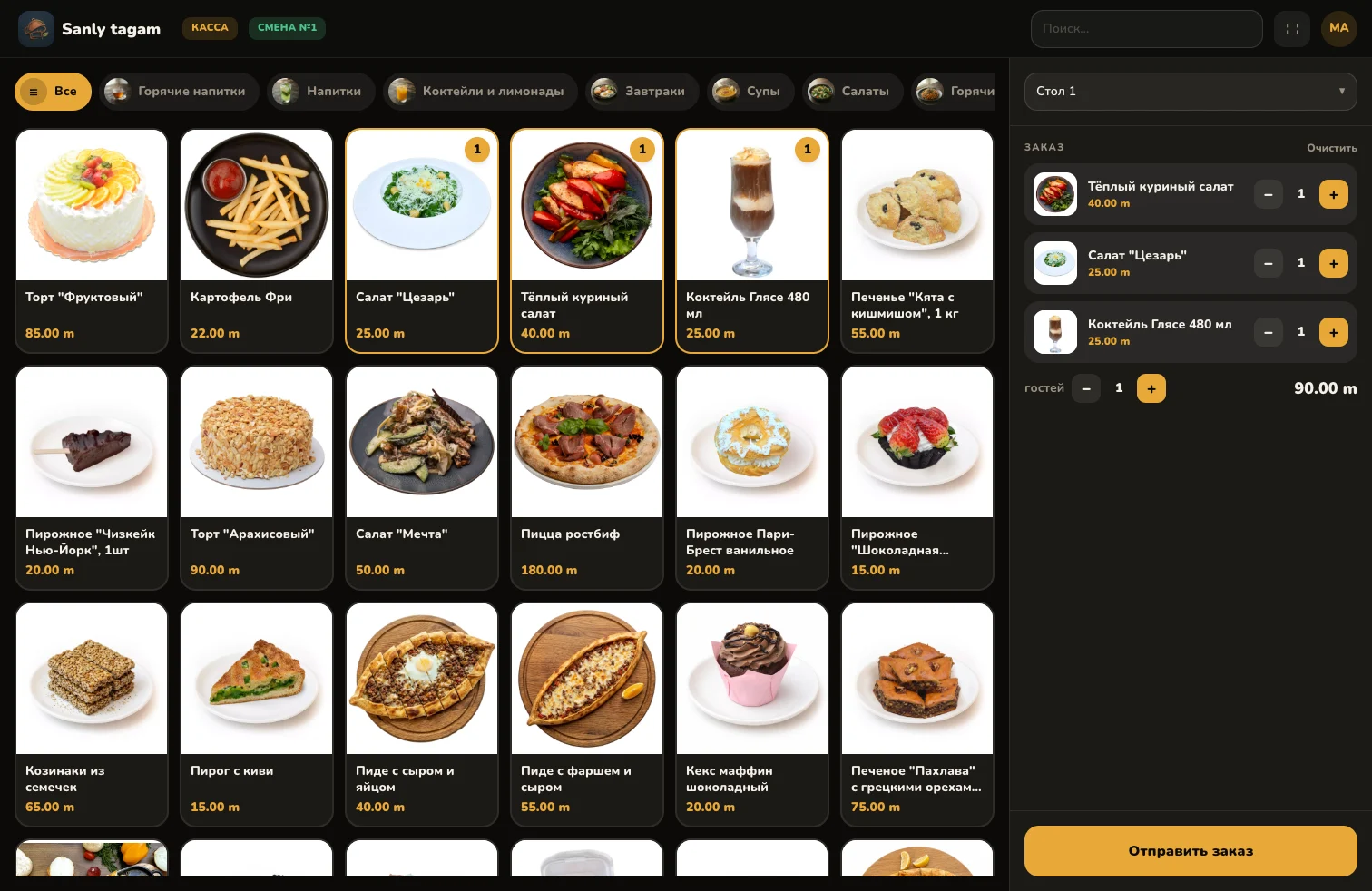
    • The receipt prints itself on payment
    • The cash drawer opens for cash
    • Opening float, cash in and out, shift reports
    Till screen with dishes and an order
    Table 1Paid
    • Affogato coffee25.00
      + Vanilla syrup
    • Yayla soup25.00
    • Pizza Carbonara80.00
      − Ham
    • Pizza Margherita, Mega75.00
    Total205.00 m
  5. 5. The owner sees it all

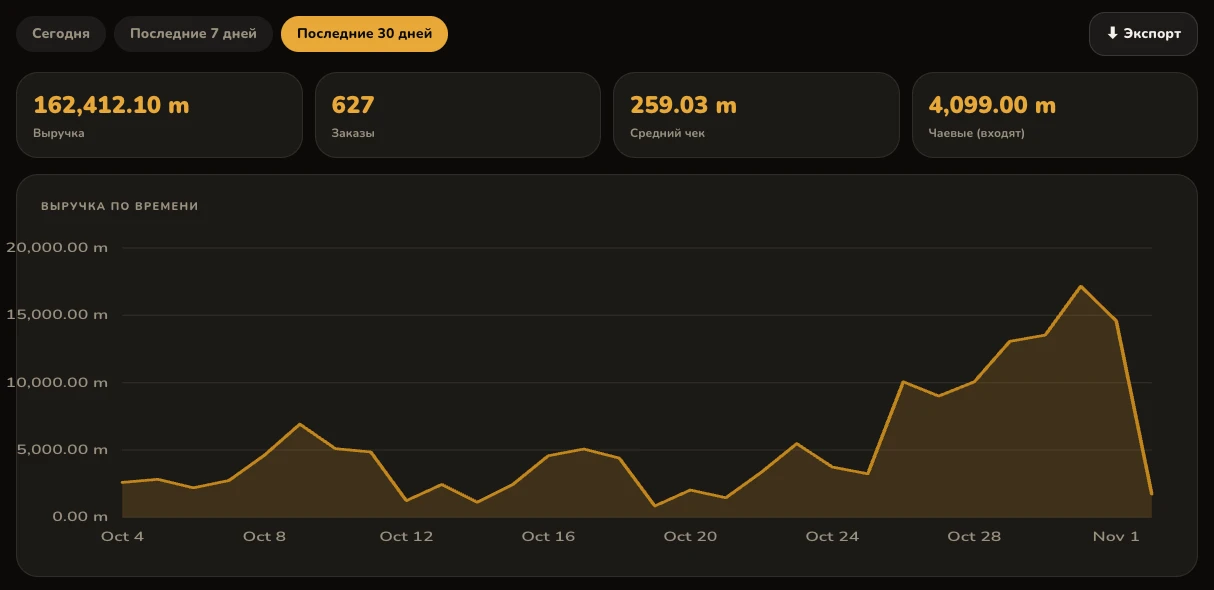
    Every number is visible, from the kitchen to the takings.
    • Paying a bill takes its ingredients out of stock
    • The Z report reaches Telegram when a shift closes
    • Statistics for today, 7 and 30 days
    Revenue statistics
    Demo data
    Table 1Paid
    • Affogato coffee25.00
      + Vanilla syrup
    • Yayla soup25.00
    • Pizza Carbonara80.00
      − Ham
    • Pizza Margherita, Mega75.00
    Total205.00 m

    Taken out of stock

Every number is visible, from the kitchen to the takings.

Shifts and till

Opening float, cash in and out, shift reports, and the difference against the counted cash.

Opening float500.00
Cash sales1 240.00
Cash out−150.00
Expected1 590.00
Counted1 585.00
Difference−5.00

Stock and recipes

Paying a bill takes its ingredients out of stock. Suppliers and invoices live here too.

  • Cheese6.6 kg
  • Tomatoes5.4 kg
  • HamLow: 1.5 kg

Menu analysis

Sales, food cost and margin for every dish, so you know which ones earn and which don't.

DishSoldFood costClass
Pizza Margherita18419.00Star
Yayla soup14216.00Plowhorse
Roast beef pizza3142.00Puzzle
Kiwi pie1211.00Dog

Figures in this section are examples.

In the admin panel

  • Statistics
  • Customers and debts
  • Staff and roles
  • Manager approval
  • Tablet monitoring
  • Activity log
  • Printers and receipts
  • Telegram and Google Sheets
  • Excel, PDF, 1C
  • Automatic backups

How many came, who came back.

The camera recognises guests by face and shows how many people came and how often each one returned.

  • How many guests came
  • How often each guest came
  • Give a guest a name
  • Movement count in a zone you choose
  • Statistics for today, 7 and 30 days

Staff are recognised but never counted as guests.

Faces stay on this server. Put up a sign at the door saying the camera recognises faces.

Main hall

Example

Tables96Till48Door127

Latest guests

  • BatyrVIP14 visits
  • Guest №479 visits
  • Maral7 visits

On your own server.

It runs on your local network, and your data stays with you.

Any change reaches every screen in the building within seconds.

TabletsWaiterKitchenTillPrintersServer✓Telegram, Sheets
3 languages
Turkmen, Russian and English, including the menu
Android, iOS
tablet, phone and browser
Up to 10 printers
kitchen, bar and till; Turkmen letters print correctly
Branches
each keeps its own server, and the menu comes from headquarters
Backups
the database and photos are saved automatically

Download the apps

The apps work together with your server. Install them on the tablets and phones on your floor.

  • Guest tablet

    Menu and ordering at the table. For tablets.

    Android 8 or newer, version 1.0, 53.8 MB

    Download
  • Waiter app

    Orders, tables and calls. For phones.

    Android 8 or newer, version 1.0, 52.5 MB

    Download

How to install

  1. Download the APK file to the device.
  2. When Android asks, allow installs from this source.
  3. Open "Restaurant server" on the tablet, or "Server settings" on the phone.
  4. Enter the server address or tap "Scan".

We'll show you the system on your menu and your floor.

Call

Write

support@zehinli-ulgam.com

Who it's for

  • Restaurants
  • Cafés and coffee shops
  • Tea houses
  • Bars
  • Canteens
  • Chains with branches